Device profiles
A device profile describes the phone Vetro builds: its screen size and density, its memory, and a few details the system shows to apps, such as the serial number and the device name. The normal page always uses the default, Light (landscape). To pick another one, add it to the app's address (app/?profile=phone), or open the full setup form with app/?advanced=1 and choose it in the Device profile menu before Start.
The profiles that come with Vetro
| Profile | Screen | Density | Memory | Notes |
|---|---|---|---|---|
| Light (landscape) | 960 x 600 | 180 dpi | 2 GiB | selected by default: the same layout as full resolution with about half the pixels to draw, so the phone answers sooner; ready-made snapshot |
| Full resolution (landscape) | 1280 x 800 | 240 dpi | 2 GiB | sharper, slower to draw; ready-made snapshot |
| Phone | 720 x 1280, portrait | 320 dpi | 2 GiB | a typical 5-inch phone (360 x 640 dp) |
| Small phone | 480 x 800, portrait | 240 dpi | 1.5 GiB | a small, low-memory phone (320 x 533 dp) |
| Tablet | 1280 x 800, landscape | 213 dpi | 2 GiB | wide enough (600 dp) for apps to use their tablet layouts |
With a profile other than the two landscape ones, the first start is a cold boot of about 45 minutes, because ready-made snapshots are published only for those. From then on that profile resumes in seconds like any other: each profile keeps its own saved phone (see Snapshots and saved data).
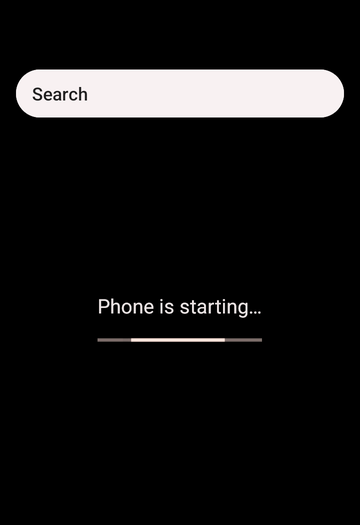
What a profile changes
- Screen size: the virtual display offers this size, and the system draws at it.
- Density: how many pixels make one "dp", so how large text and buttons are. It is also what apps use to pick phone or tablet layouts.
- Memory: the phone's RAM. You can still change RAM in the setup form (
?advanced=1), or withram=in the address. - Serial number and SKU: what
Build.getSerial()andBuild.SKUreturn to apps. - Time zone and device name: applied through adb once the system has booted, and kept by the phone. The device name is the one in Settings > About.
- Language (locale): stored in the same way, but the system reads it only when it starts, so a new language takes effect from the next full start of the system, not immediately.
Some things cannot change without a new system image, among them the model, brand and manufacturer names apps read from Build.MODEL and friends (they say "Vetro"), and the language at the very first start.
Your own profile
A profile is a small JSON file. Write one, open the setup form (app/?advanced=1), click load a profile file and pick it; it is added to the menu. A built-in profile needs no form: open the app with ?profile=phone (or small-phone, tablet, default) in the address.
{
  "vetroProfile": 1,
  "id": "my-phone",
  "name": "My phone",
  "description": "A 6-inch phone in portrait.",
  "screen": { "width": 1080, "height": 2340, "density": 420 },
  "ramMiB": 3072,
  "locale": "it-IT",
  "timezone": "Europe/Rome",
  "device": { "name": "Test phone", "serial": "TEST0001", "sku": "test" }
}| Field | Required | What it is |
|---|---|---|
vetroProfile | yes | the format version: 1 |
id | yes | a short name: lowercase letters, digits and dashes |
name | yes | the name shown in the menu |
description | no | one line shown under the menu |
screen.width, screen.height | yes | pixels, even numbers from 320 to 3840 |
screen.density | yes | dpi, from 120 to 640 |
ramMiB | yes | memory in MiB, from 1024 to 3072, a multiple of 64 |
locale | no | a language tag such as en-US or it-IT (default en-US) |
timezone | no | a time zone such as Europe/Rome or UTC |
device.name | no | the device name in Settings |
device.serial | no | the serial number: letters and digits, up to 20 |
device.sku | no | the SKU: letters, digits, dots, dashes, underscores |
Vetro checks the file strictly: an unknown field, a value out of range or a newer format version is an error, shown in the status line, so a typo never changes the phone silently.
Large screens cost memory and speed: every frame has more pixels to draw on an emulated processor. The built-in profiles are a good balance.
From the command line
The native runner accepts the same profiles:
vetro boot --boot-img boot.img --vendor-boot vendor_boot.img --init-boot init_boot.img \
  --disk disk.img --profile phone        # or --profile my-profile.json
It prints the adb commands for the settings applied after the boot (time zone, device name, language). The file format is described for developers in docs/specs/device-profiles.md in the repository.